
Crews
Guide to crews — challenges, XP, rankings, and the board.
1. Screen layout
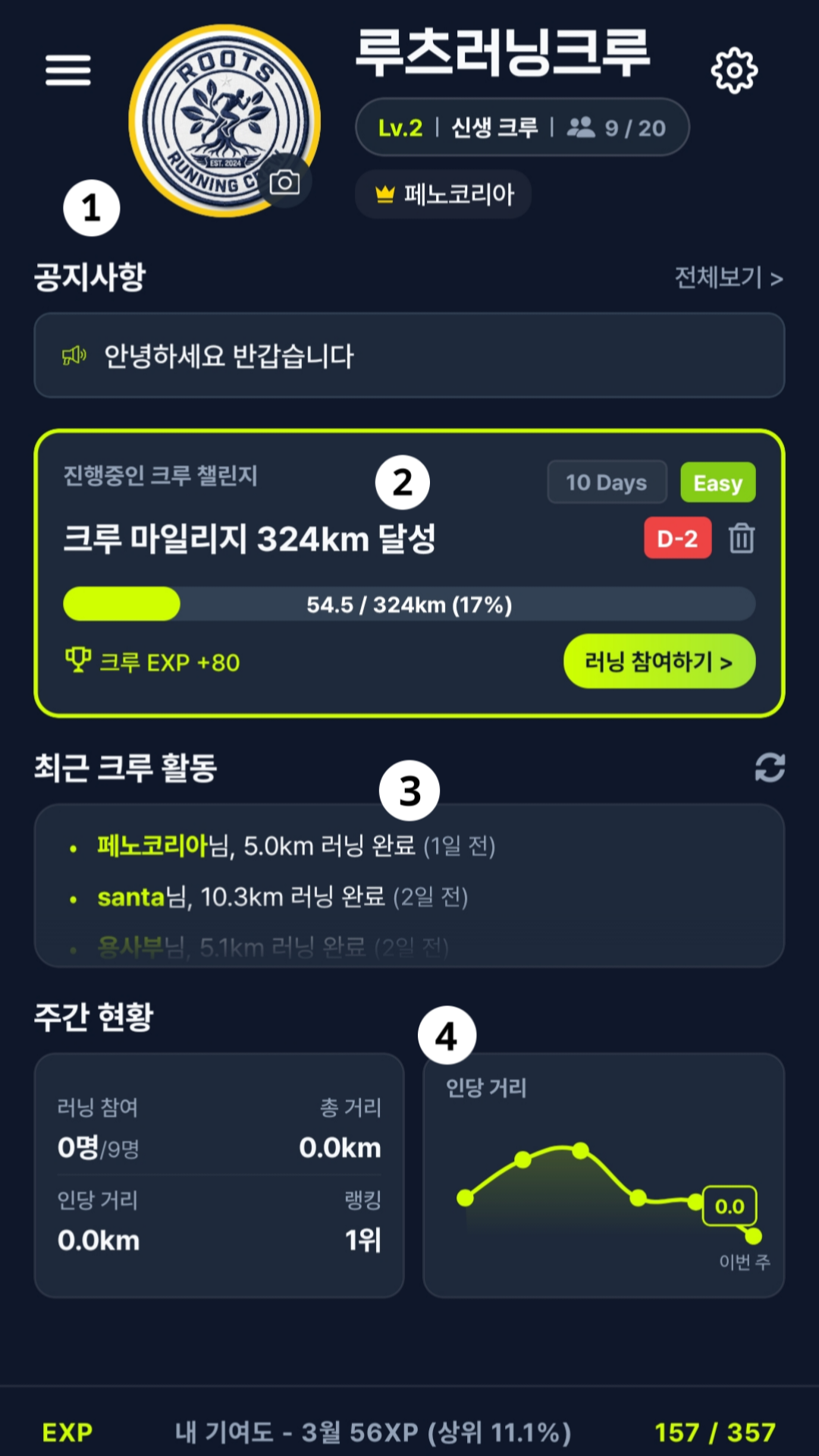
① Crew info
Shows your crew details. Use the menu button on the left to open crew features.
② Crew challenge
Crew challenges are available for crews with 5 or more members. Choose a duration (10 or 30 days) and difficulty; completing a challenge awards crew XP.
③ Recent crew activity
Members' recent workouts update in near real time. Activity includes runs from up to 2 days ago. The following are not shown in the feed:
- Treadmill (indoor run) records
- Workouts imported from Strava
- Manually entered records
- Runs shorter than 1 km
④ Weekly status
See your crew's activity for the week: participants, total distance, distance per member, and weekly crew ranking.
2. Crew XP and level
How to earn crew XP
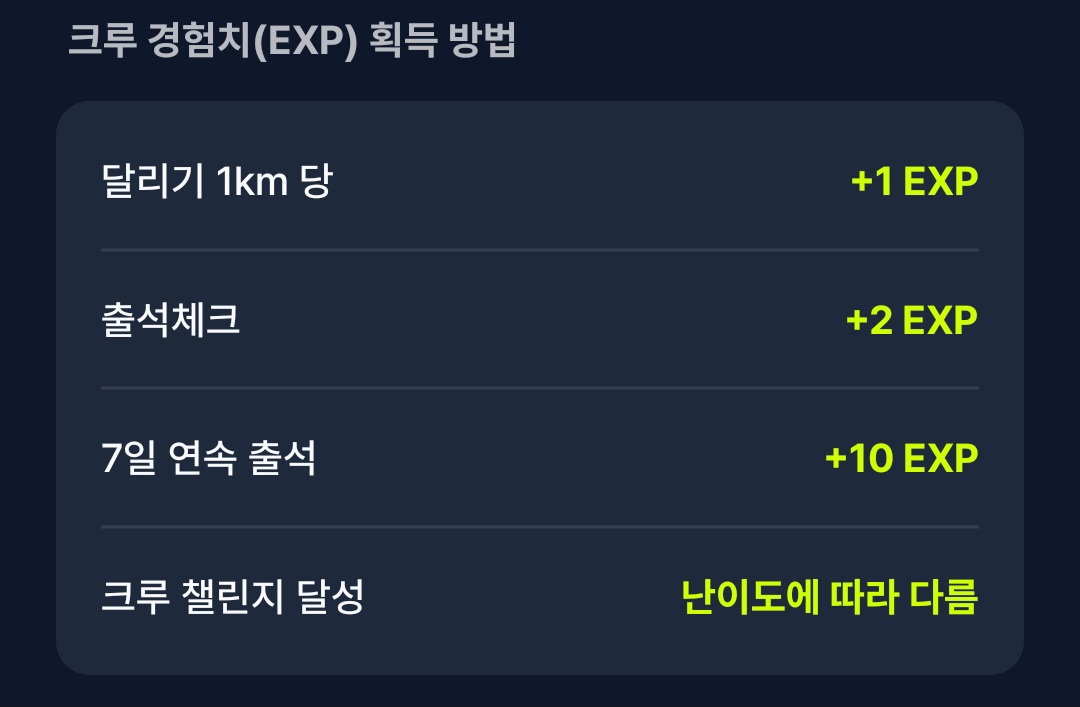
You can earn XP in several ways. The following are excluded from crew XP:
- Treadmill (indoor), Strava sync, manual entry, or disallowed sources
- Workouts before you joined the crew, or on invalid dates
- Workouts that already earned crew XP (including under another account)
Titles and rewards by crew level
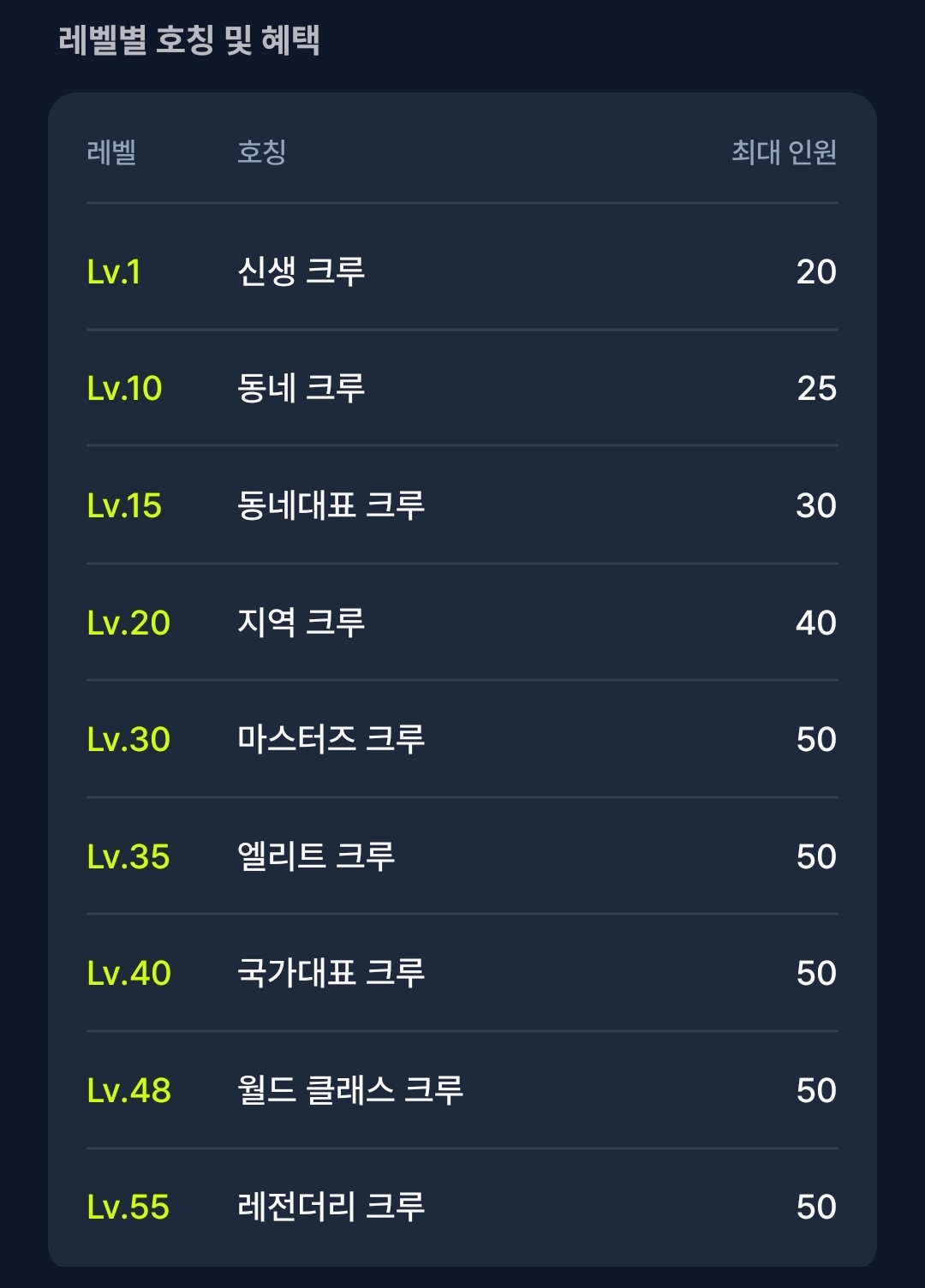
Crew level is based on total crew XP. Higher levels unlock titles and a higher member cap.
3. Crew ranking
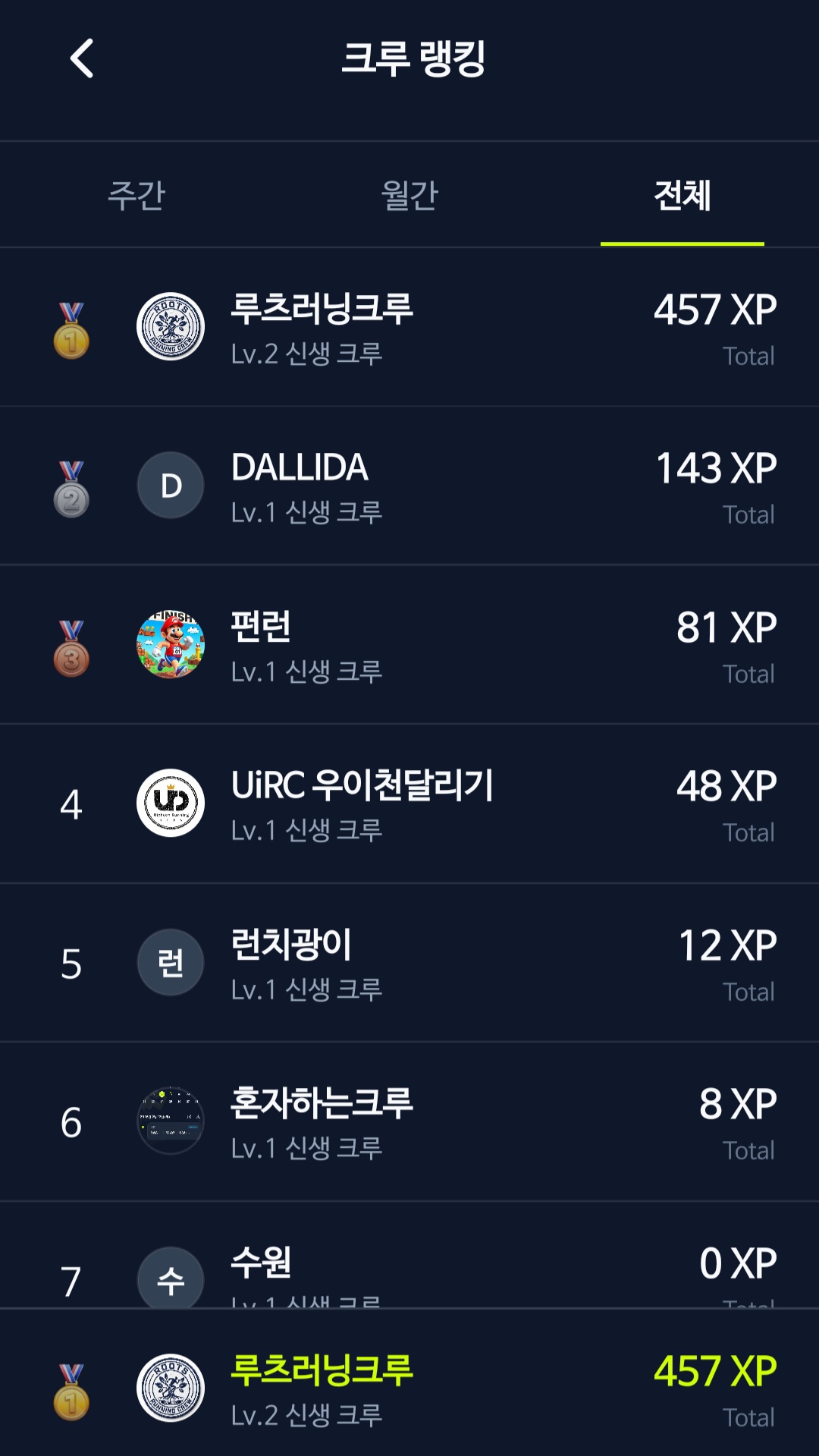
Crew ranking is based on total crew XP. View weekly, monthly, and all-time standings.
More crew features are planned for future updates.
4. Board
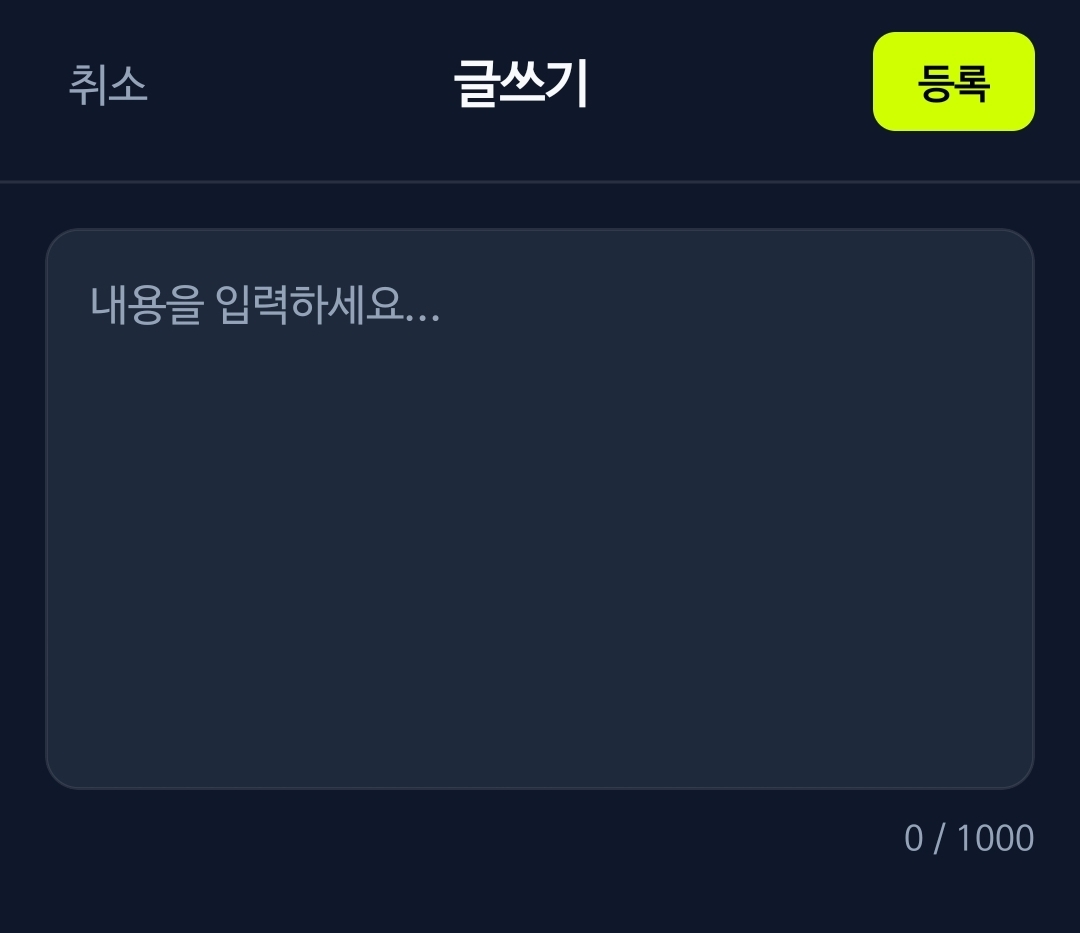
Use the board for announcements and general posts.
Only the crew leader can post announcements. Pinned posts appear on the crew home screen.